Customer tracking for people who sell face to face
Meet at the fair. Save. Follow up.
Musteri keeps your customers, their addresses, contact persons and the trade fairs where you met them in one place. Save a business card in seconds, see who is still waiting after the fair, and call or WhatsApp them in one tap. No internet or account needed.
Coming soon to Android and Wear OS, then iPhone and Apple Watch. No ads.
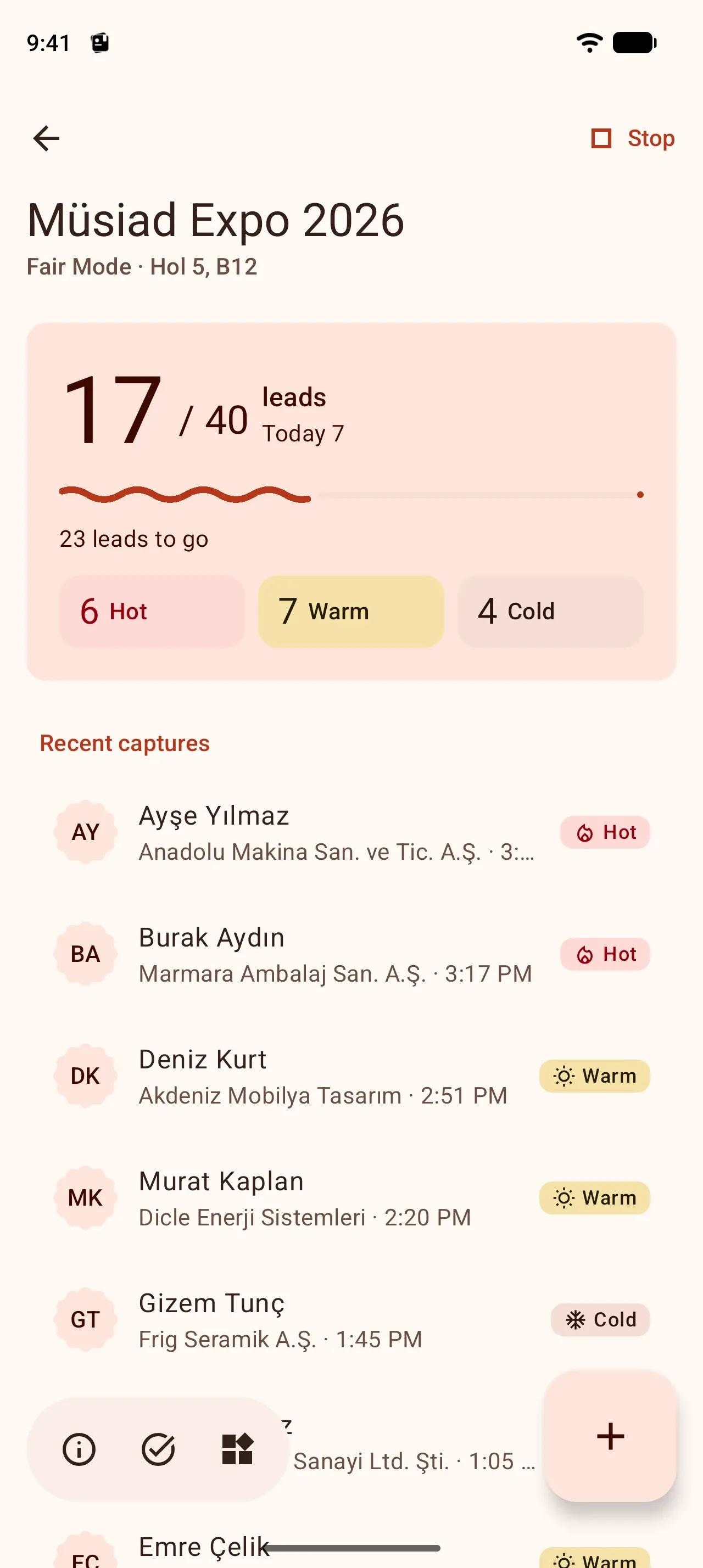
Fair Mode
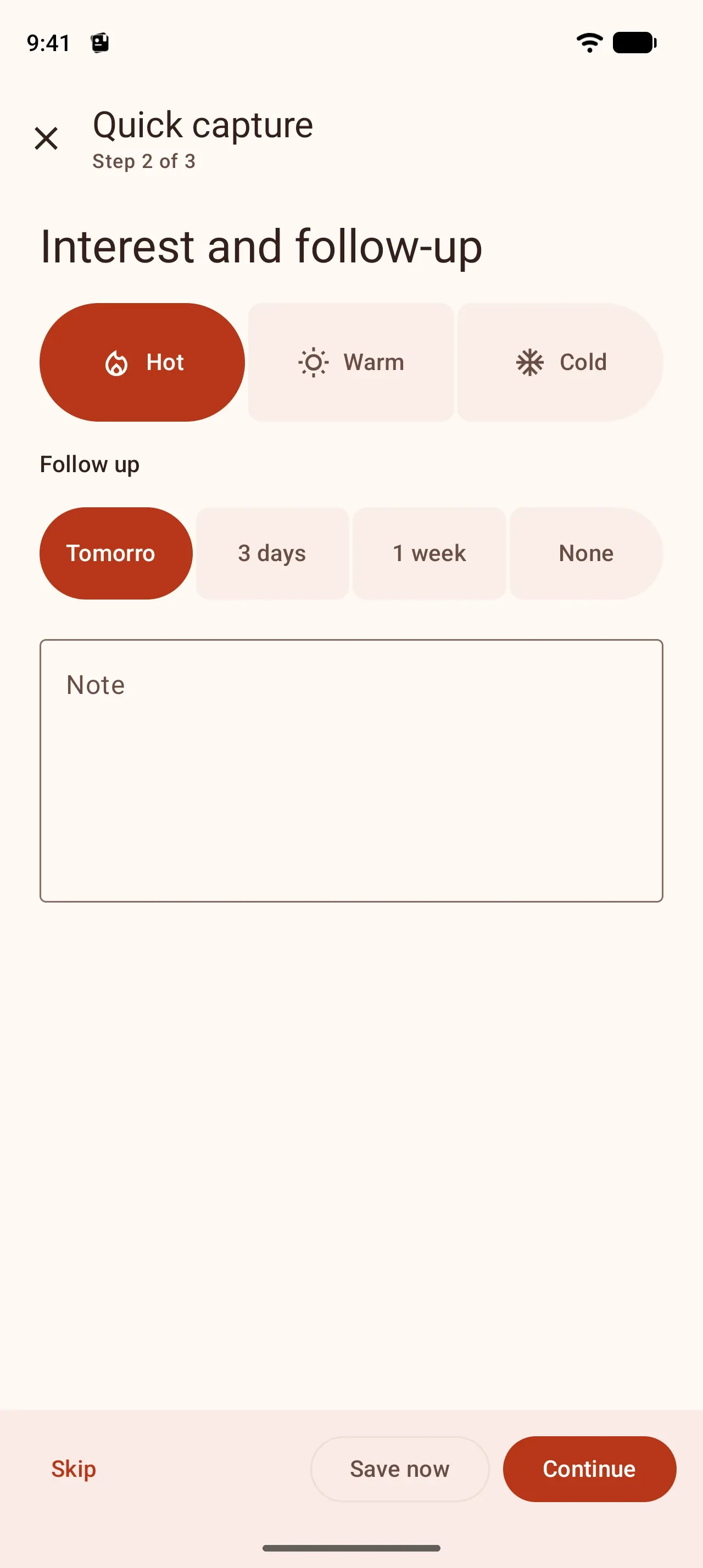
Capture at the stand in two actions
Pick the fair from the TOBB calendar and start Fair Mode. Every capture finds or creates the customer and the contact person, links them to the fair, marks the interest and schedules the follow-up. It works even with no signal in the hall.
Type the name, Save now
The shortest path is two actions; four with an interest level. Company, phone and e-mail are optional: Continue or Skip.
Business card and QR
The card is read on the phone and the capture opens filled in; if it is right, one tap saves it.
Quick form or voice note
A name is enough for a visitor without a card; you can also record the conversation as a voice note.
Goal and live progress
The counter on the lock screen, in the notification, on widgets and on the watch.
Step by step or one form. Fill in a capture in short steps or on one screen; Settings → Step-by-step entry. Only the name is required either way.
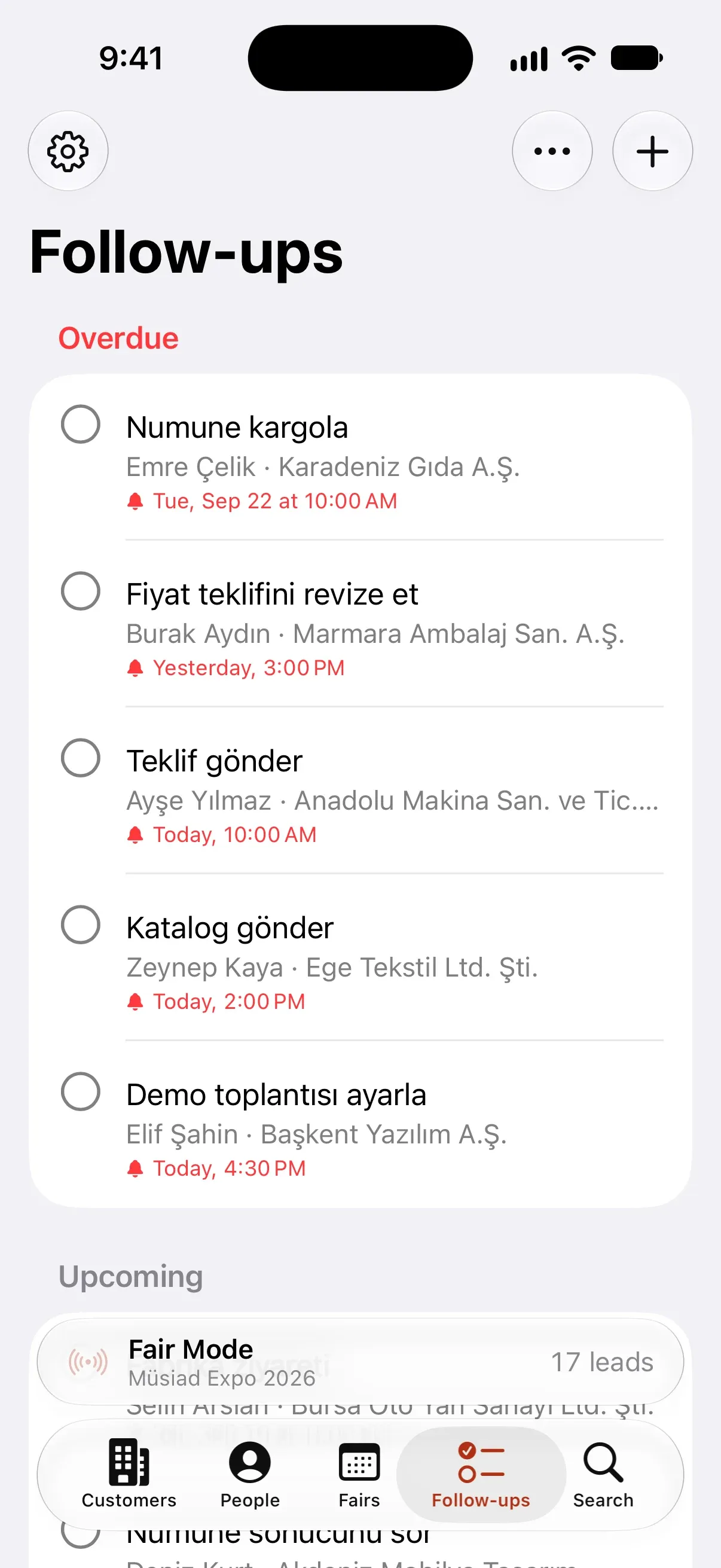
Follow-up list
Nobody is forgotten after the fair
Every fair gets its own follow-up list: who is still waiting to hear from you, and what you promised. Reminders on your phone, widget and watch.
One-tap contact
WhatsApp, call, e-mail or SMS with ready templates. Every contact is logged on the timeline.
Progress per fair
How many people you met at a fair, how many you got back to, how many are waiting.
Reminders and snooze
Follow-ups arrive as notifications when they are due; tick them off or snooze them.
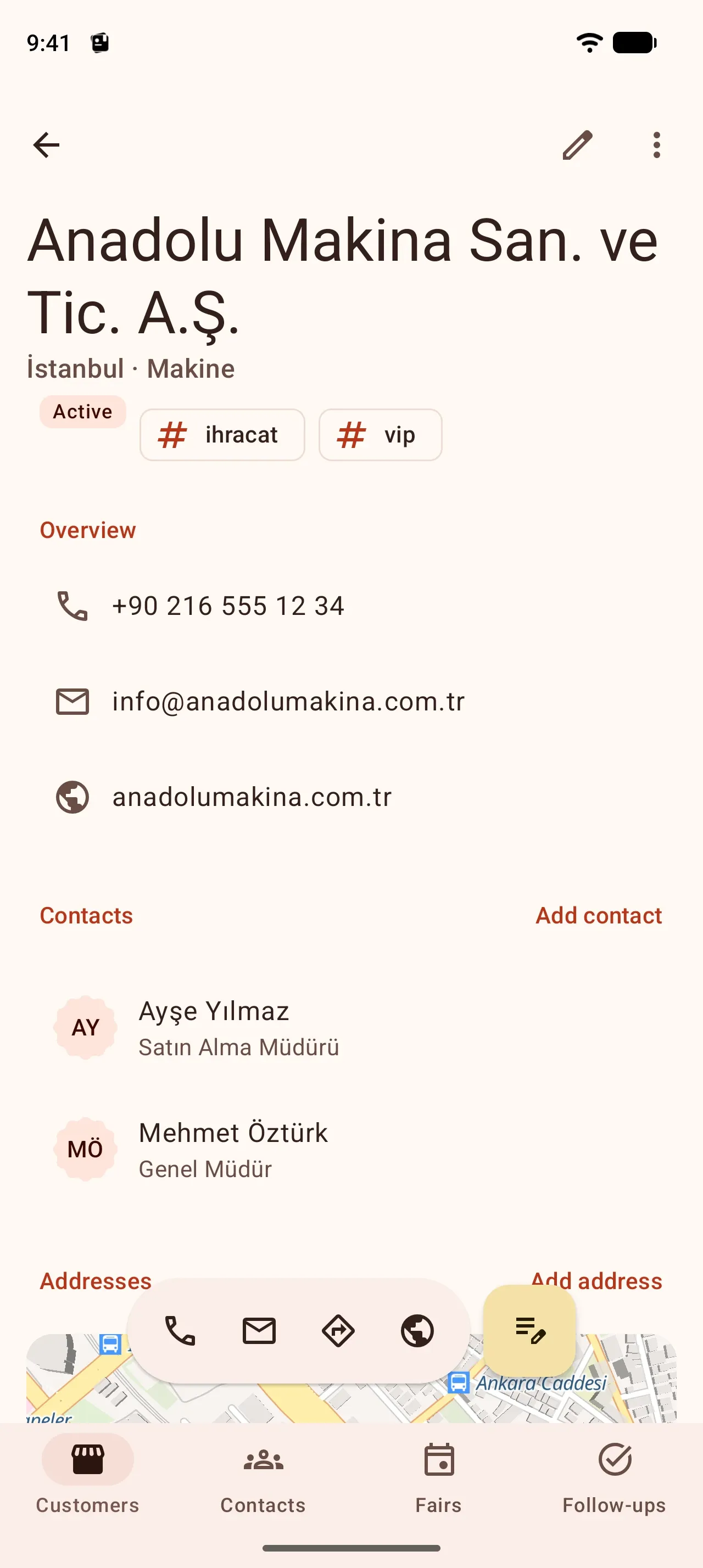
Customer book
Your customer book, in your pocket
Companies, their addresses, contact persons and everything you did with them on one timeline. You can save a person before you know their company.
Addresses
Head office, branch, billing, shipping and warehouse; open on the map, get directions.
Contact persons
Several phones and e-mails, title, department and notes.
Timeline
Notes, calls, meetings, visits and fairs in order.
Turkish-aware search
Type “sisli” to find “Şişli”, “igdir” to find “Iğdır”.
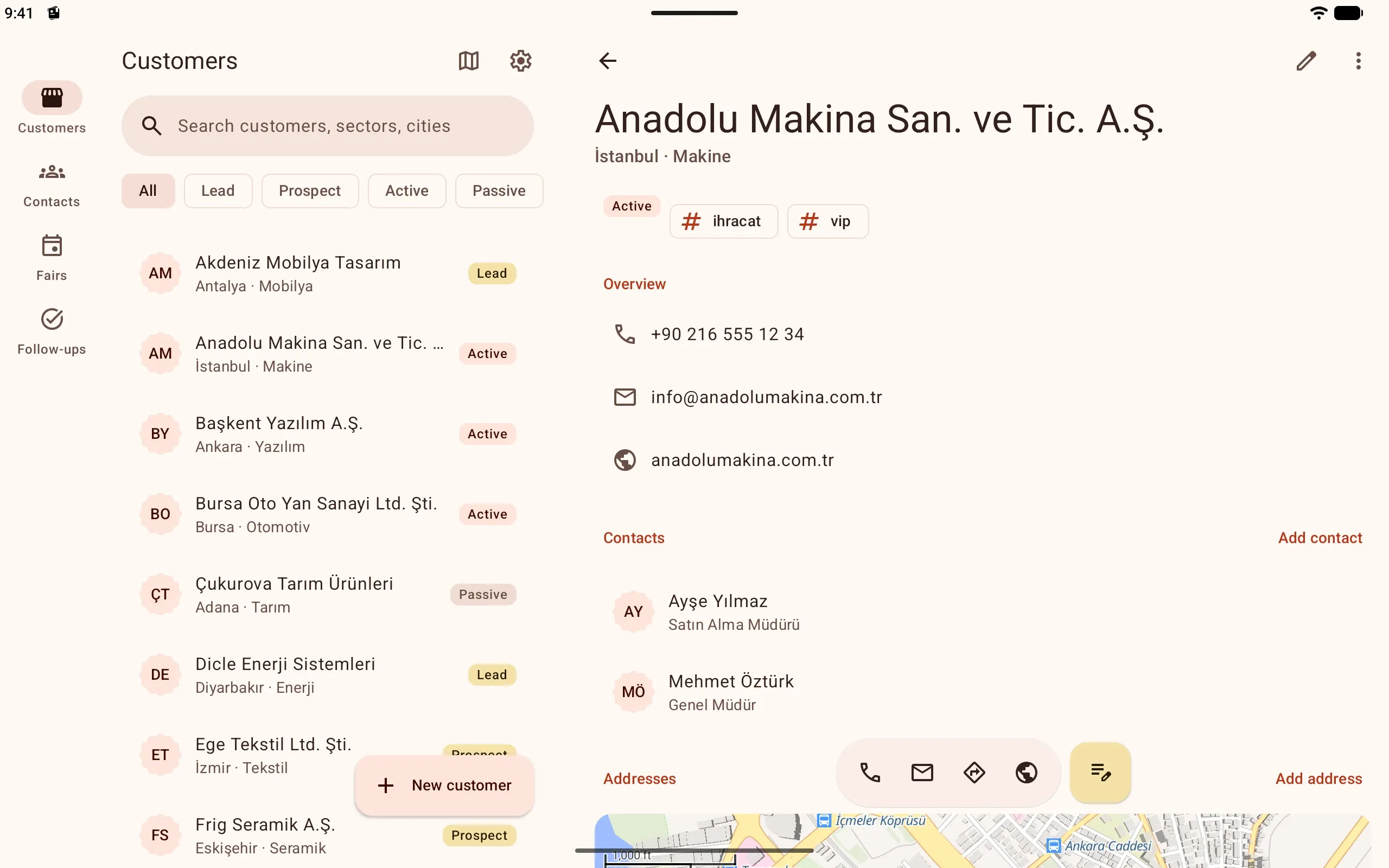
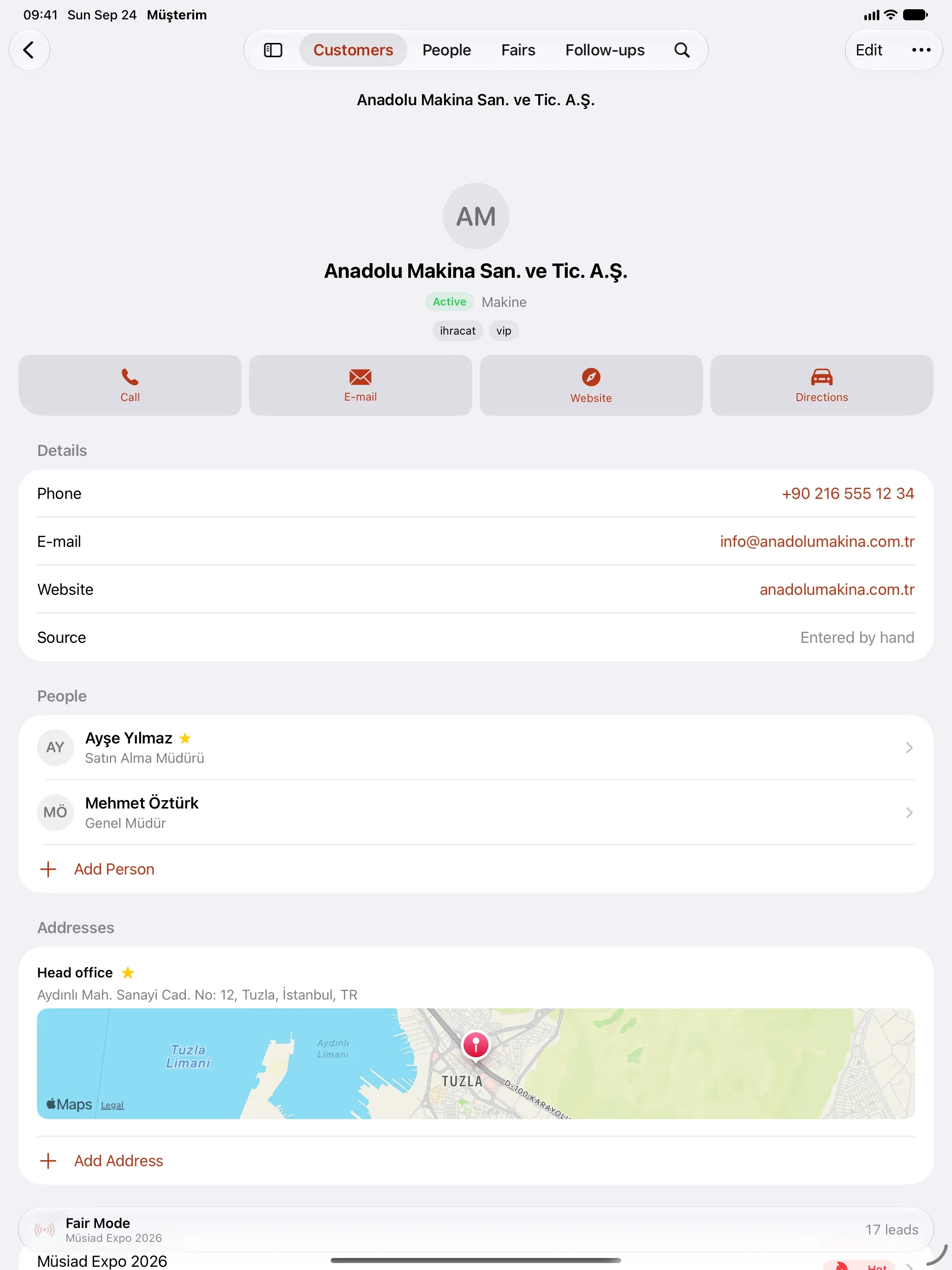
Tablet and iPad
The same book, on a big screen
Musteri runs on Android tablets and iPad too. On a tablet the customer list and the company you pick sit side by side; on iPad the details, people and the address map fit on one screen.
Offline and account-free
No signal in the hall? No problem.
Musteri works on your phone first. Everything is saved on the device and the screen never waits for the network. You do not have to create an account.
Start without an account
Install it and start. Your records stay on your device only.
Sign in if you want
Sign in with a passkey, Google or Apple to turn on sync and backup. The watch and multiple devices come with Musteri Pro.
Everything comes back on a new phone
Sign in and your customers, contacts, fairs and follow-ups are restored in full.
Widgets and watches
Without opening the app
While a fair runs, the Fair Mode widget sits on your home screen: the counter, hot / warm / cold, the goal and capture buttons. You add it from inside Fair Mode; tick off follow-ups from a widget and leave voice notes from your wrist.
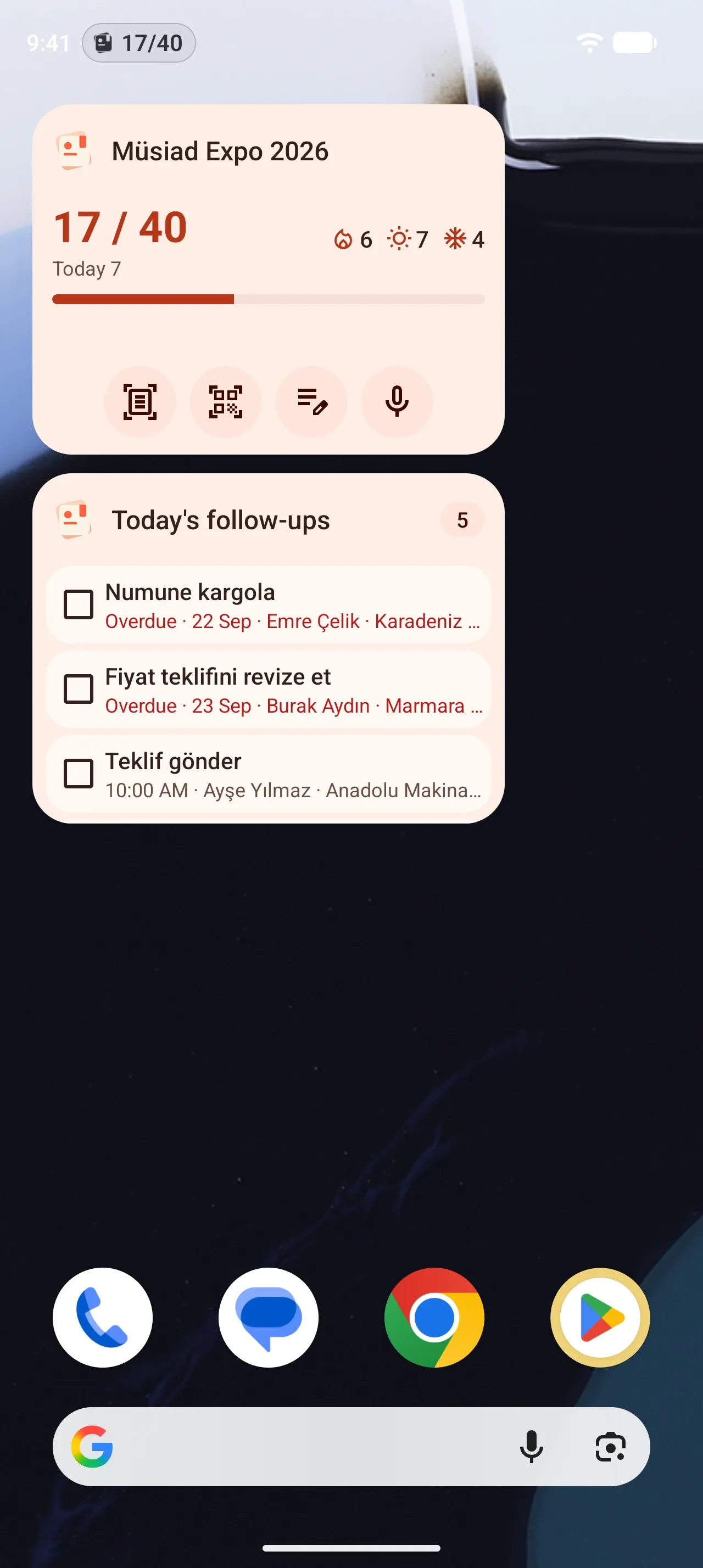
Android
The Fair Mode widget: counter, goal progress and capture buttons. A today’s follow-ups widget, a live update and a Quick Settings tile.
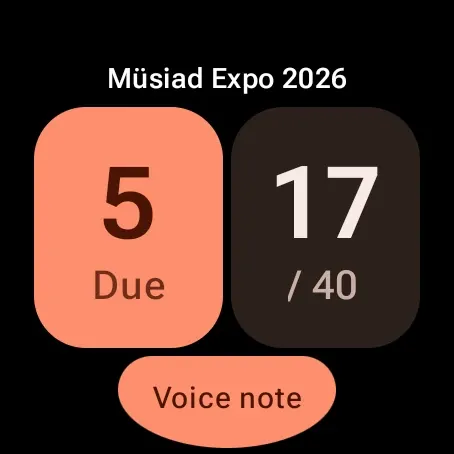
Wear OS
The Fair Mode tile: counter, goal ring and voice notes. Today’s follow-ups and a complication. With Musteri Pro.
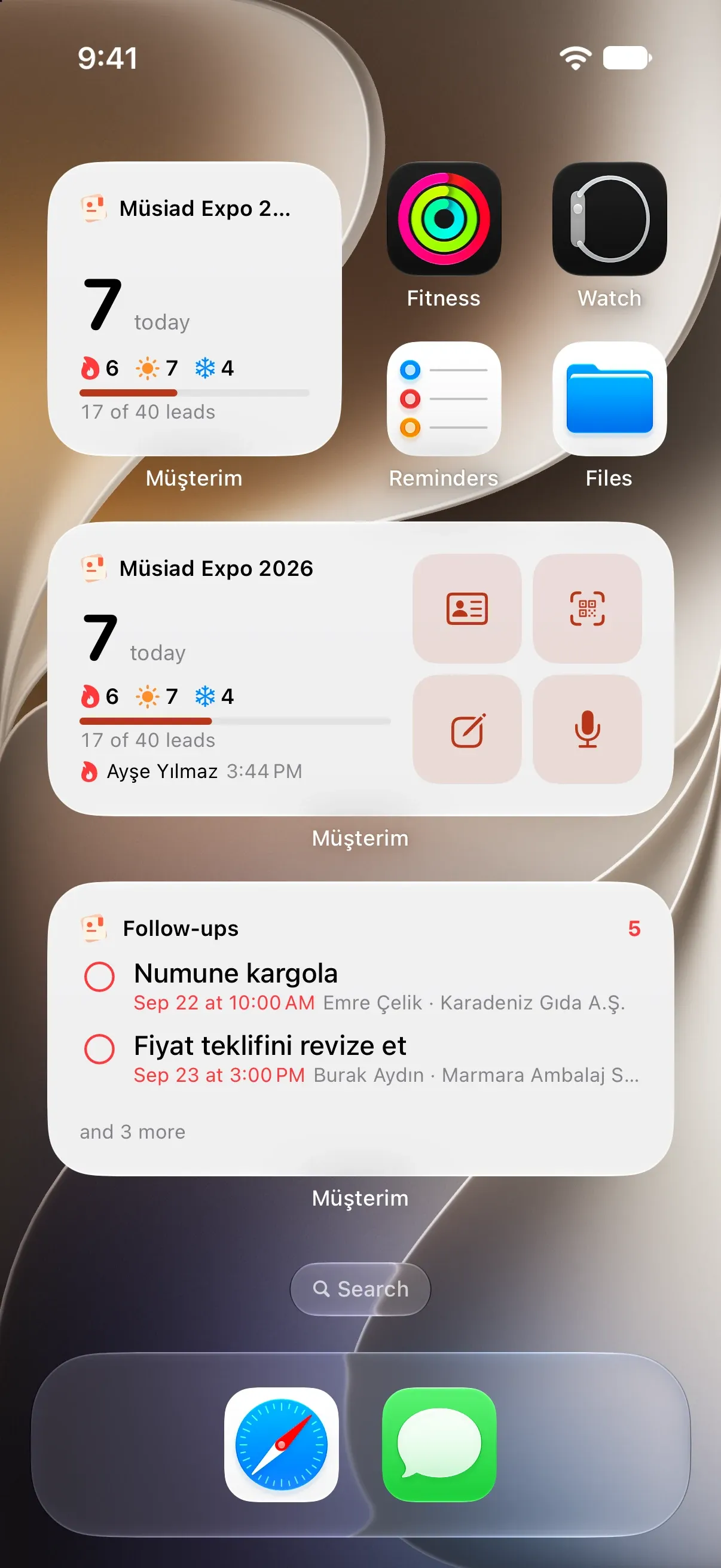
iPhone
The Fair Mode widget on the home screen, lock screen and in StandBy; a Live Activity and the Dynamic Island.
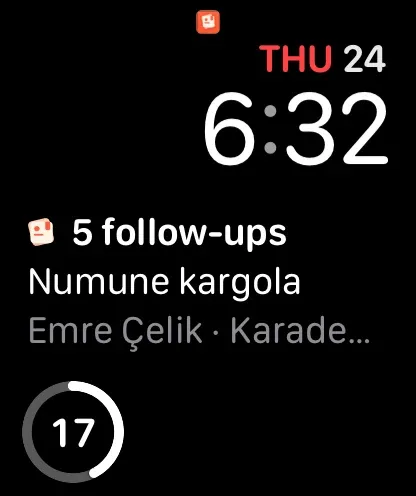
Apple Watch
A Fair Mode screen: counter, goal and voice notes; follow-ups and complications. With Musteri Pro.
Export
Your data is yours. Export it, free and unlimited.
Share all your customers and contacts whenever you like. Nothing you saved is ever locked behind a paid plan.
- CSV for Excel, Numbers and Google Sheets
- vCard for your address book or another app
- Through the share sheet to e-mail, Drive or your computer
- customers.csvCSV · 248
- contacts.vcfvCard · 412
Frequently asked questions
Does it work without internet?
Yes. Capture, search, follow-ups and export all run on your device. If you are signed in, changes sync by themselves when a connection is back.
Do I need an account?
No. Musteri works in full without one. Signing in turns on sync and backup; the watch app and several devices at once come with Musteri Pro.
Where is my data stored?
On your phone first. If you sign in, a copy is kept on our server in the European Union (Finland) for sync and backup. The privacy policy has the details.
Will what I saved ever be behind a paid plan?
No. You can export all your customers and contacts as CSV and vCard, free and without limits. There are no ads in the app.
Which fairs are already listed?
Fairs from the TOBB trade fair calendar are listed ready to pick. You can add any other fair, conference, congress or meeting yourself.
Is the business card photo sent anywhere?
No. The photo is processed on your phone and only the fields you confirm are saved.
Which devices will it run on?
First on Android 16 and later phones and tablets and on Wear OS watches, then on iPhone and Apple Watch.
Can I use it with my team?
For now Musteri is for personal use. Teams and shared workspaces are one of the next steps.
Do I fill in a capture step by step or as one form?
Your choice. With Settings → Step-by-step entry on, a capture comes in short steps; off, it is one screen with the same sections. Only the name is required either way.
How do I delete my account?
In the app under Settings → Account → Delete account, or by e-mail to musteri@sayfa.app. The account deletion page walks you through it.