Fair Mode
A customer saved at the stand in two actions.
The visitor is in front of you and the next one is waiting. In Fair Mode you type the name and save, picking the interest level if you like; customer, contact person, fair and follow-up are ready in one record. If you have time, you add the company, phone and e-mail too. No internet needed.
Speed at the stand
The shortest path: two actions
When you open a capture, the first step asks who it is. The only thing required is the name of the person or the company; Save now is on every step, the first one included.
Type the name
Name or company; either one is enough.
Save now
Saves straight away: interest warm, follow-up in three days.
Four actions with an interest level
- 1. Type the name
- 2. Continue
- 3. Hot
- 4. Save now
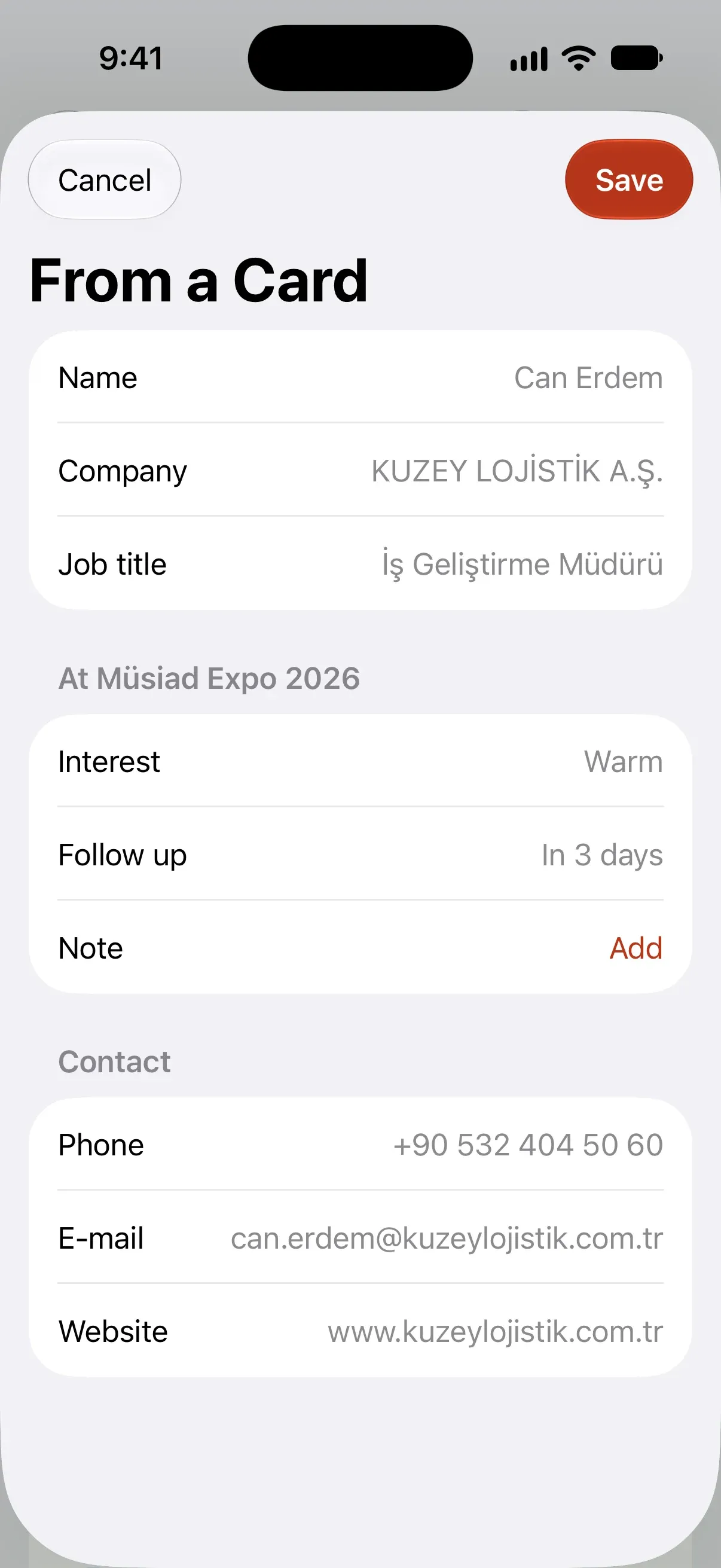
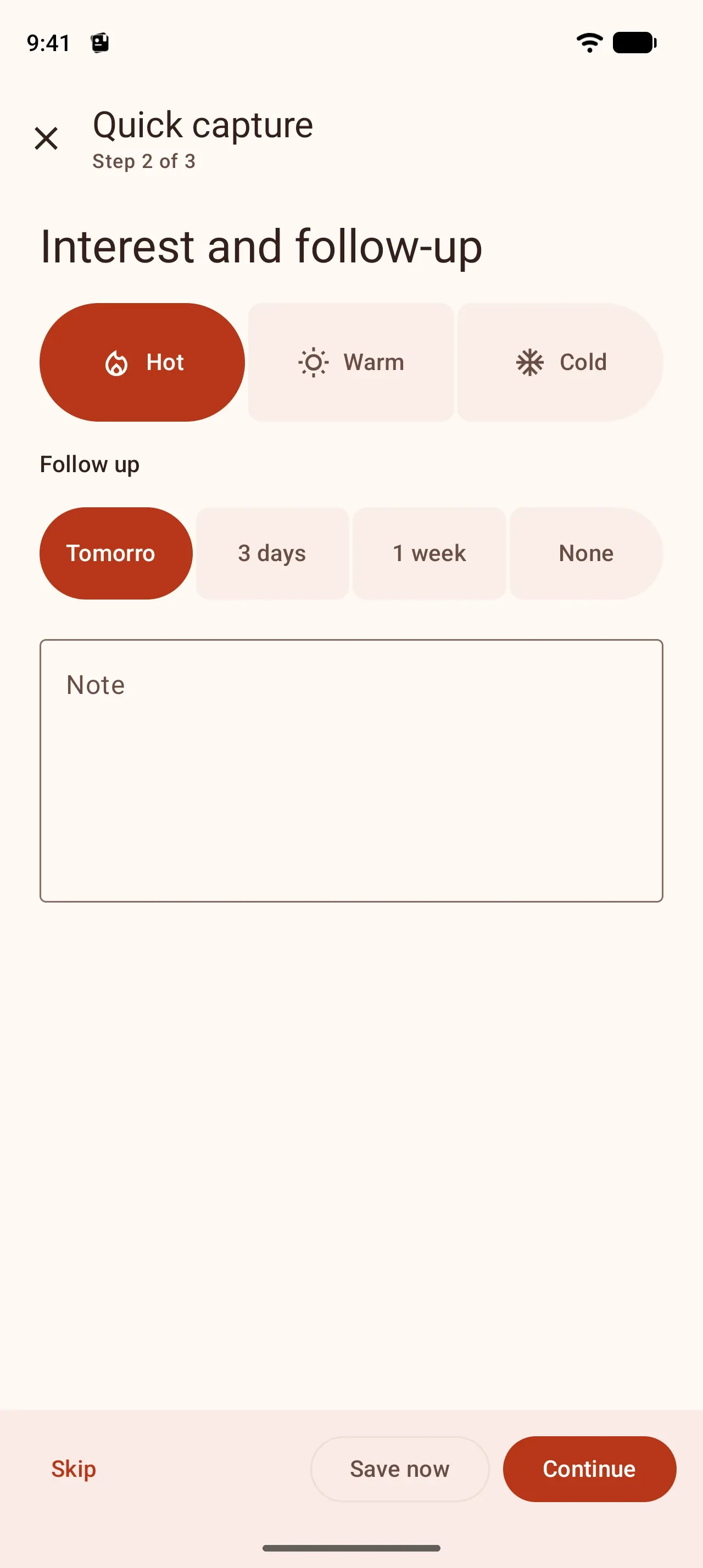
With more time, each step asks for a few related fields together: Who? (name, company, title), Interest and follow-up (hot / warm / cold, follow-up, note), Contact (phone, e-mail, web). Skip any step you do not need; the last step shows everything in one list, and you tap any row to fix it. The follow-up is set for the next day for hot, three days for warm and a week for cold.
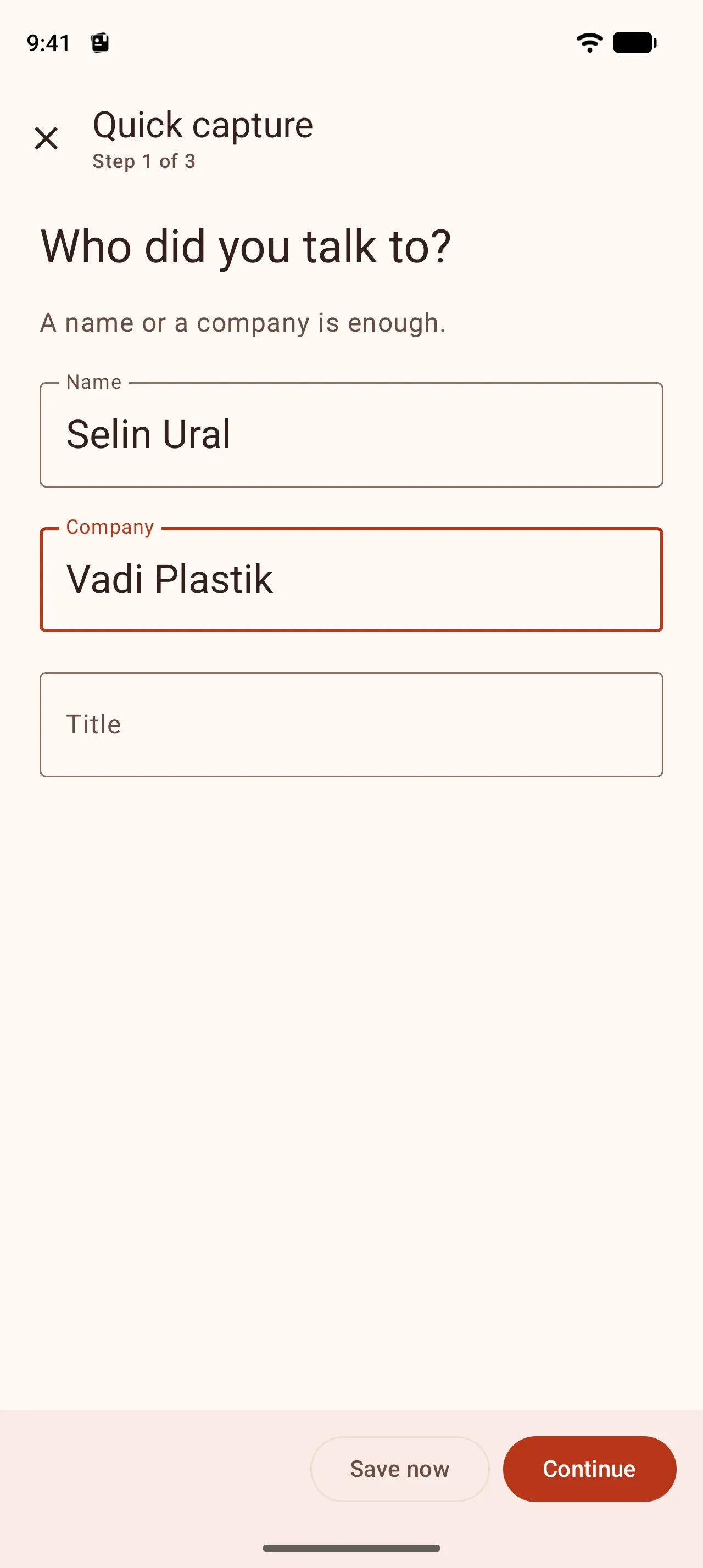
- Who?Selin Ural · Vadi Plastik
- Interest and follow-upHot · Tomorrow
- ContactSkipped
Your choice
Step by step or all at once — your choice
Some people like short steps, others want everything on one screen. The same record comes in both, with the same sections in the same order.
- Who?
- Interest and follow-up
- Contact
- Summary
- Phone
- Web
- Save now
- Skip
Single form: the same record on one screen on Android
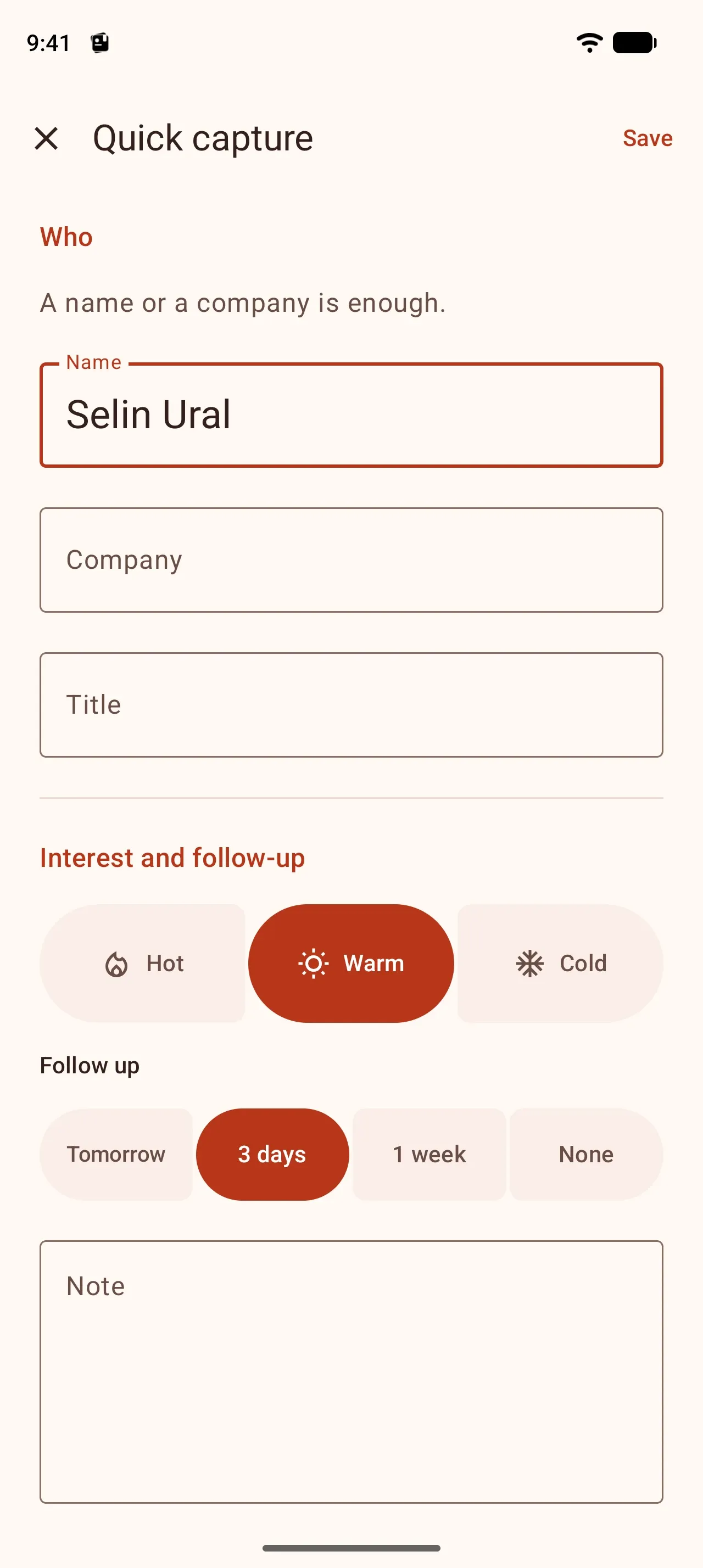
Settings → Step-by-step entry
On, a capture comes in steps; off, it is one form. The choice is stored on your phone and applies to the next capture.
Only the name is required
In both modes the only required field is the name or company; Save is enabled as soon as it is filled in.
A scanned card opens filled in either way
Straight on the summary in step mode, with every field filled in as a single form; if it is right, one tap saves it.
Ways to capture
Card, QR, form or voice
Whichever is fastest at that moment. They all lead to the same steps and the same summary.
Business card scan
The card is read on the phone and the details land in the right fields. The capture opens straight on the summary, so a correctly read card is saved with one tap. The photo never leaves the phone.
QR scan
vCard and MECARD codes on badges and business cards become a contact in one go.
Quick form
For a visitor without a card, a name is enough; you complete the rest later.
Voice note
Say the gist of the conversation and the phone transcribes it. Add the name and interest afterwards.
Even with no signal in the hall
Connections in fair halls drop all the time. No step of Fair Mode needs the internet: reading, matching and saving happen on the phone. If you are signed in, your records sync by themselves when a connection is back.
Pick the fair from the TOBB calendar
The 769 domestic fairs in the TOBB trade fair calendar for 2026 and 2027 come ready in Musteri: start typing the name and pick it with its dates, venue and organiser. You add any fair, conference or meeting that is not on the list yourself.
Goal and live progress
Your goal, always in sight
Set a goal for the number of encounters at the fair; the counter moves with every capture. You see it without opening the app.
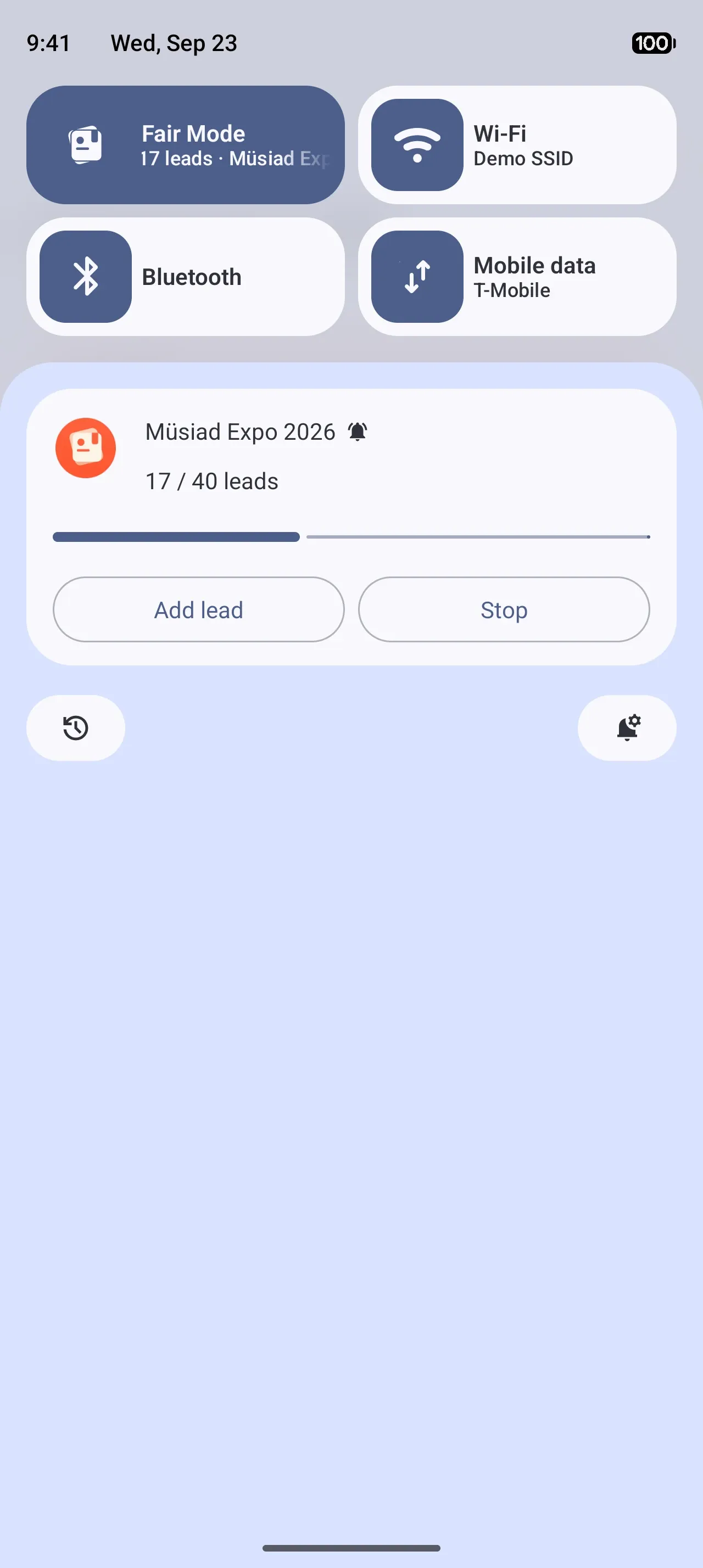
Android
A counter chip in the status bar and a live update in the notification shade; add a capture or stop from there.
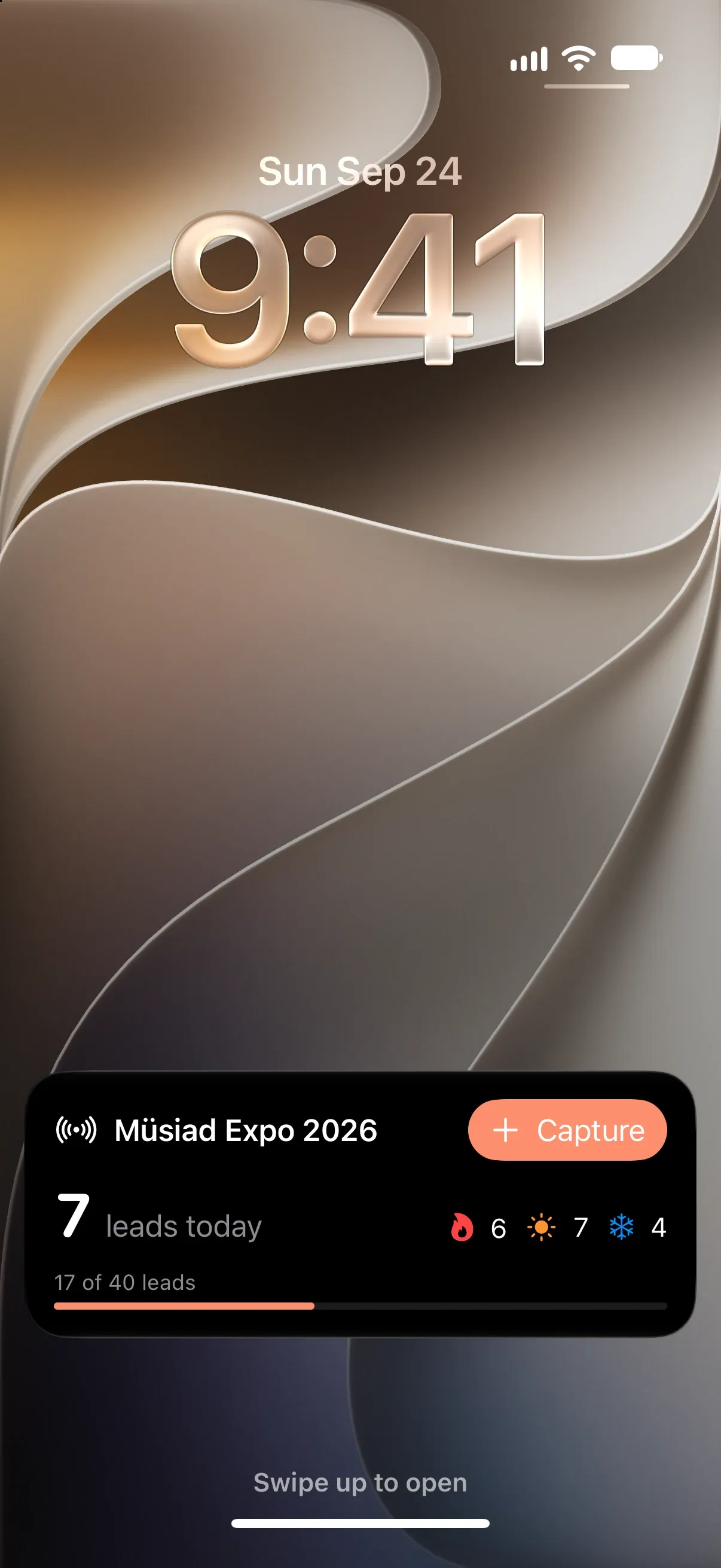
iPhone
A Live Activity on the lock screen and in the Dynamic Island: the count, the hot / warm / cold split and the goal.
- Fair Mode17/40 · Müsiad Expo 2026Fair Mode
Shortcuts
A Quick Settings tile on Android, Control Center on iPhone: capture is one tap away.
Fair Mode widget
On your home screen while the fair runs
The Fair Mode widget shows the running fair: today’s and total captures, hot / warm / cold, progress toward the goal, the last capture and capture buttons. It updates on every capture, on sync and when Fair Mode starts or stops. With no fair running, it shows your next fair and a Start Fair Mode button.
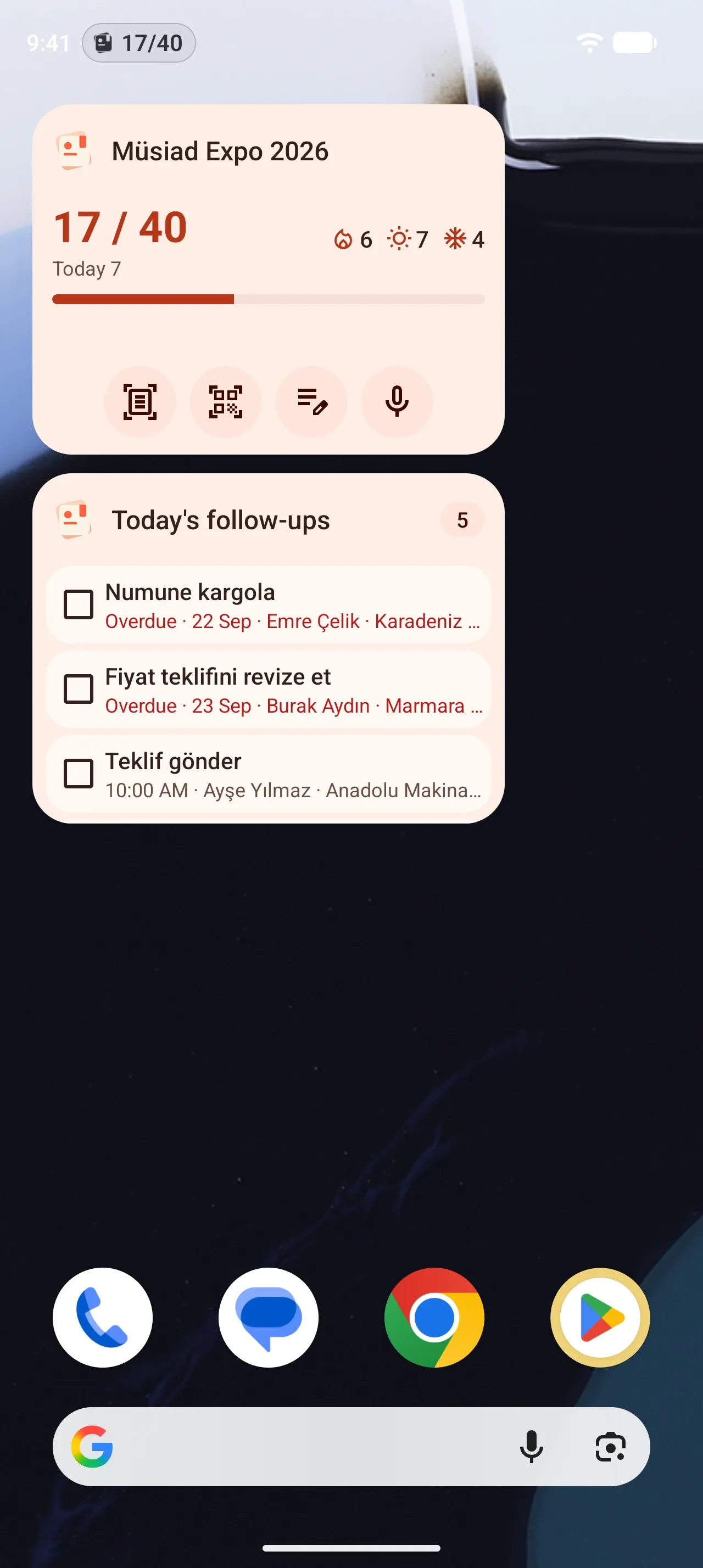
Android home screen
A resizable widget: the counter and progress when small, capture buttons at medium size, the last captures when large.
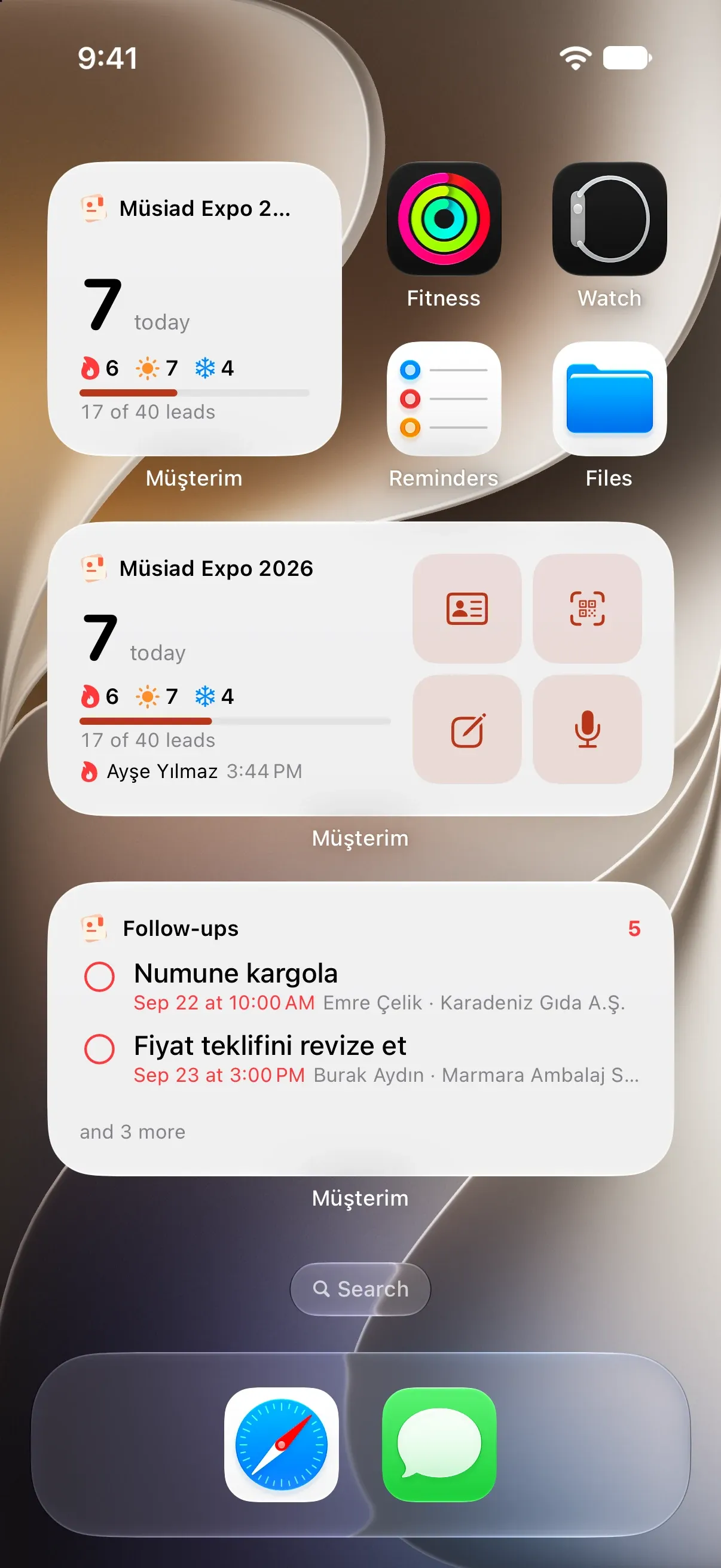
iPhone home screen
Small, medium and large sizes; card, QR, form and voice in one tap.
- 9:4117Müsiad Expo 202617 / 40 goal7encounters today674
Lock screen and StandBy
The counter and goal on the lock screen, a large counter in StandBy while charging.
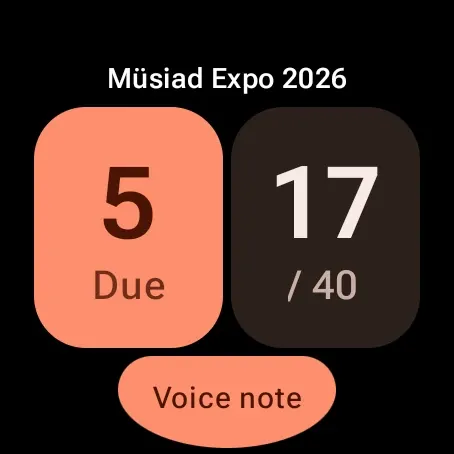
Wear OS tile
The counter, a goal ring, hot / warm / cold and a voice note from your wrist. The watch app comes with Musteri Pro.
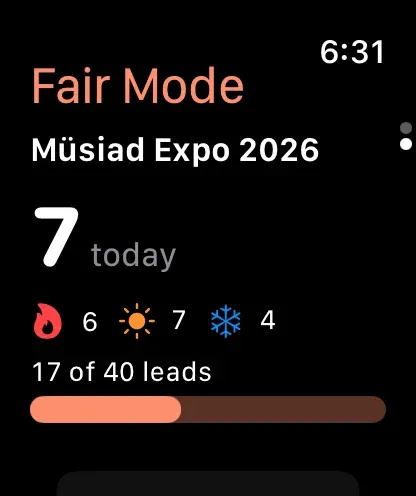
Apple Watch
A Fair Mode screen: counter, split, goal, last captures and voice notes; start or stop Fair Mode from the watch. With Musteri Pro.
- Fair ModeMüsiad Expo 202617 / 40 goalAdd widget
Add it from inside Fair Mode
Use Add widget on the running Fair Mode screen to put the widget on your home screen straight from there.
A tablet at the stand
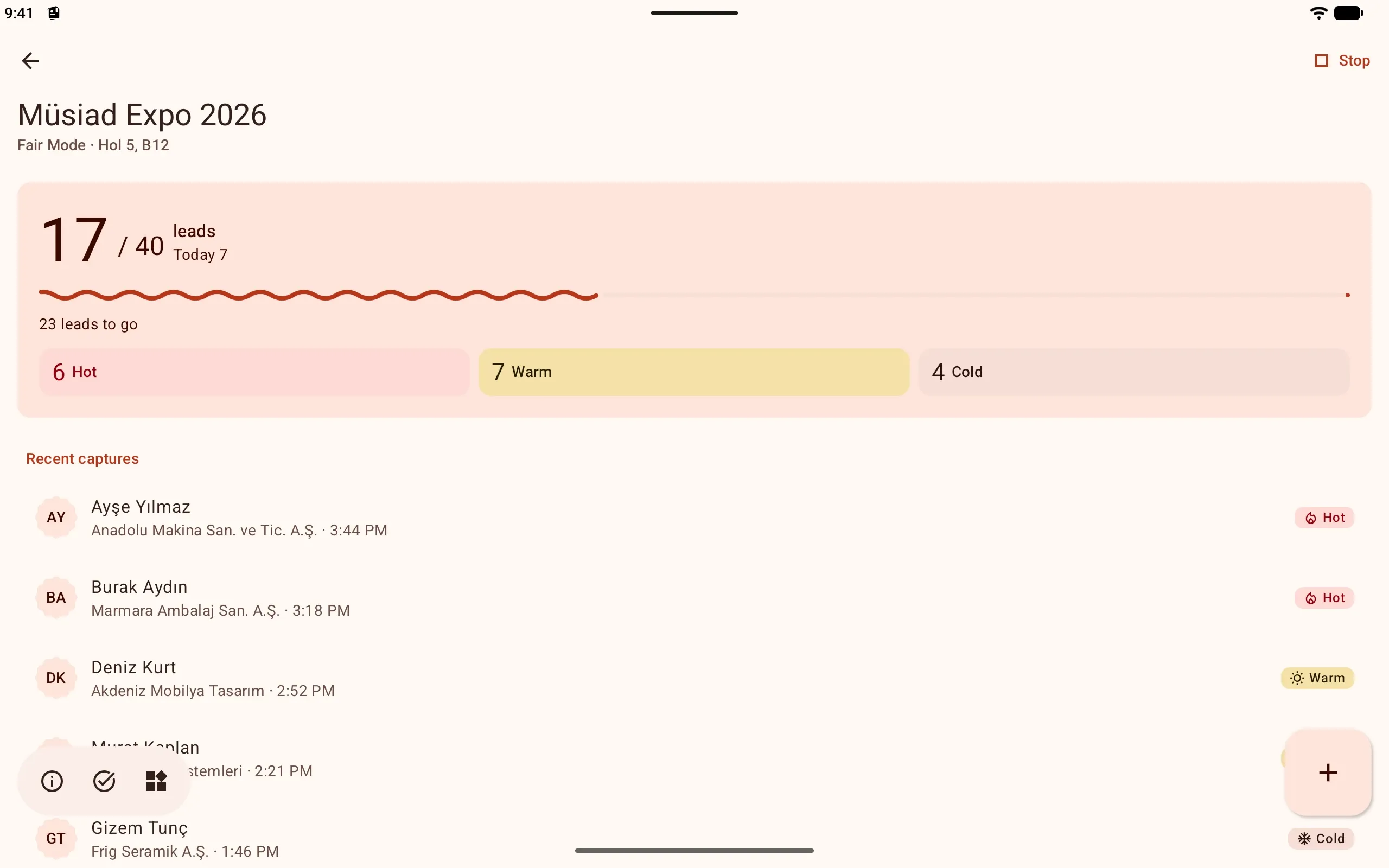
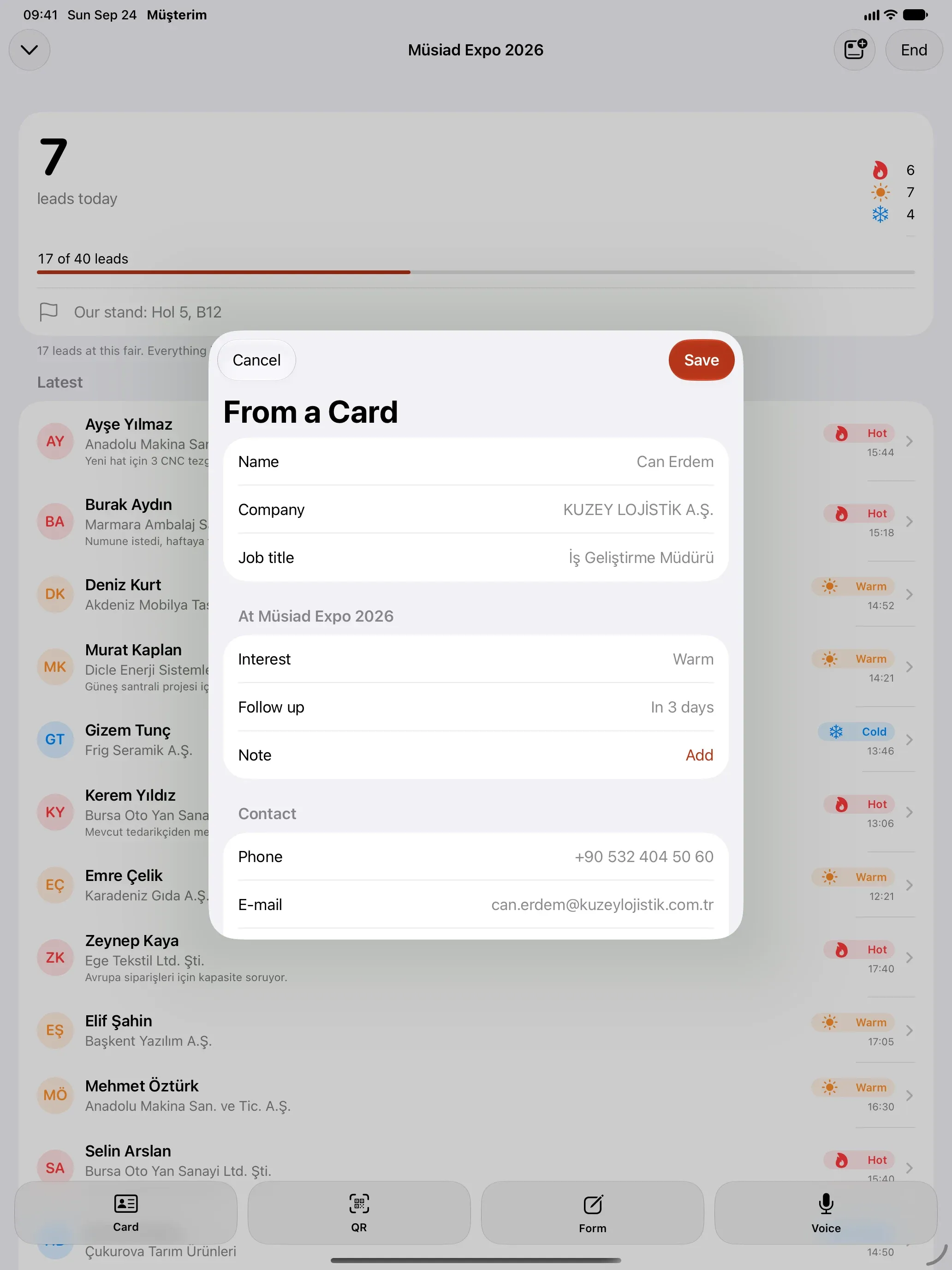
Run the stand from a tablet too
Fair Mode opens on Android tablets and iPad with the same counter, split and recent captures. Scan a card and the summary comes up over the running fair.
After the fair
Who is still waiting, at a glance
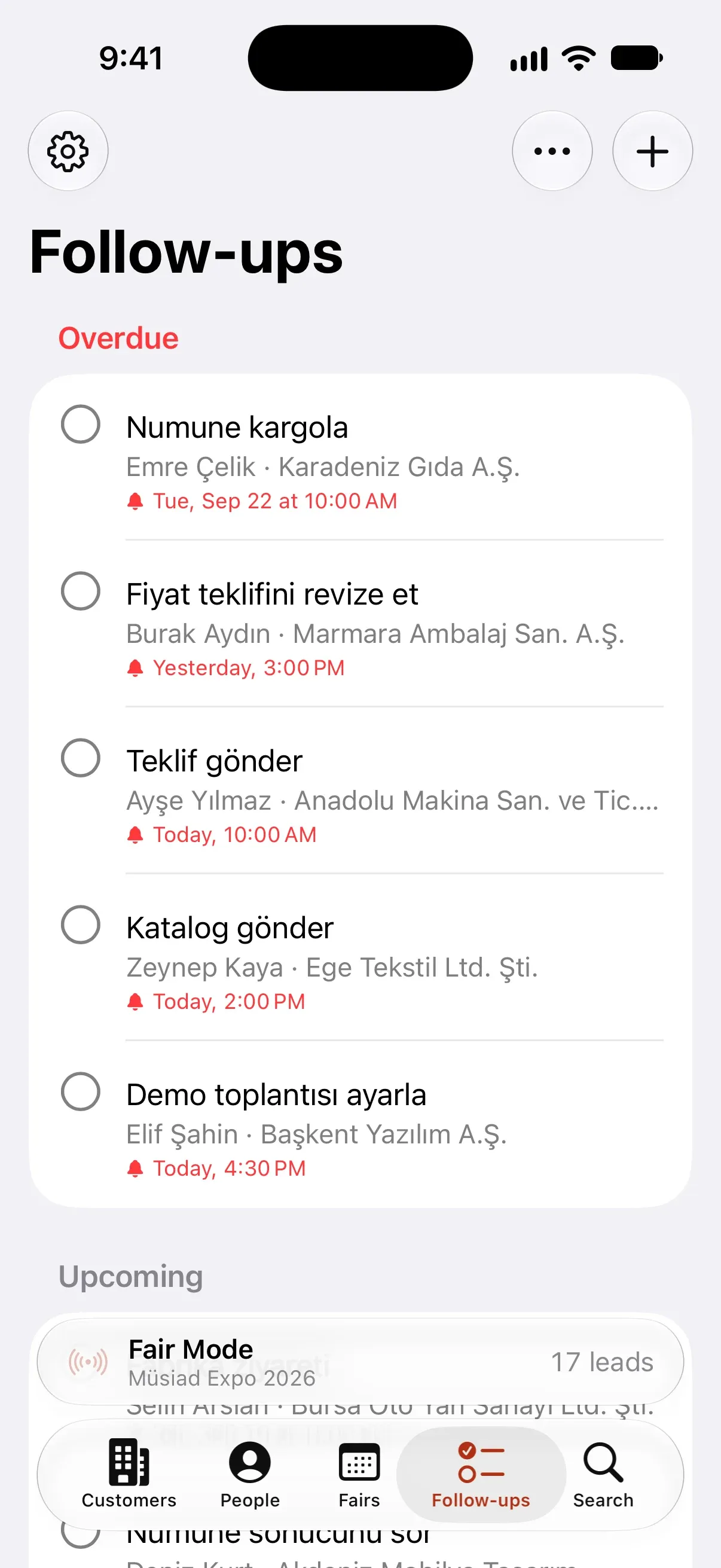
Every fair gets its own follow-up list. Hot leads come first, and due follow-ups arrive as notifications.
Get back in one tap
WhatsApp, call or e-mail, with ready templates. Every contact is logged on the timeline.
Reminders
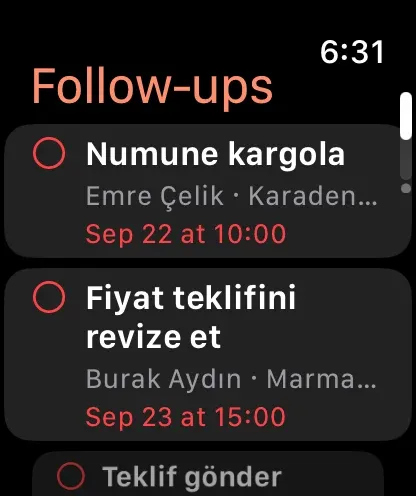
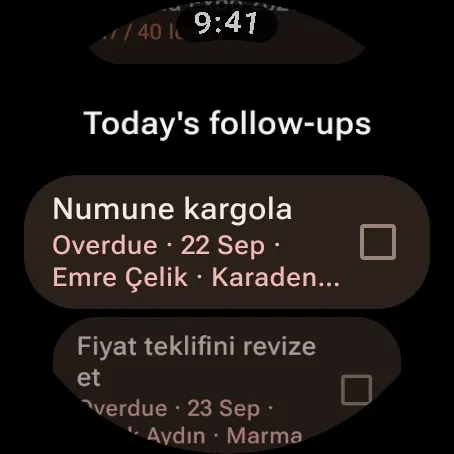
On your phone, widget and watch, with no internet needed. Tick them off or snooze them.
Progress per fair
How many people you met, how many you got back to, how many are waiting.
Export is free
Export everyone you met at the fair as CSV or vCard whenever you like, free and without limits.
Questions about using it at a fair
What if there is no internet in the hall?
Nothing changes. Capture, card reading, QR and voice notes run on the phone. If you are signed in, everything syncs when a connection is back.
What if a card is read wrongly?
The capture opens on the summary; tap the wrong row and fix it. For a card that cannot be read, use the quick form.
What if I save a second person from the same company?
If the company is already in your customer book, no new company is created; the person is linked to the existing one.
When is the follow-up set for?
By interest: the next day for hot, three days for warm, a week for cold. You can change it in the summary or the follow-up step.
Can I use a single form instead of steps?
Yes. Turn off Settings → Step-by-step entry and every capture opens on one screen with the same sections. Only the name is required.
My fair is not in the TOBB list.
Add the fair, conference or meeting yourself with its name and dates; Fair Mode works the same way.
More on the blog
Why fast capture at the stand matters, with sources.